
Microsoft Office 365 Family (PC, 6 Devices, 1 Year Account)
2,620 people viewed this item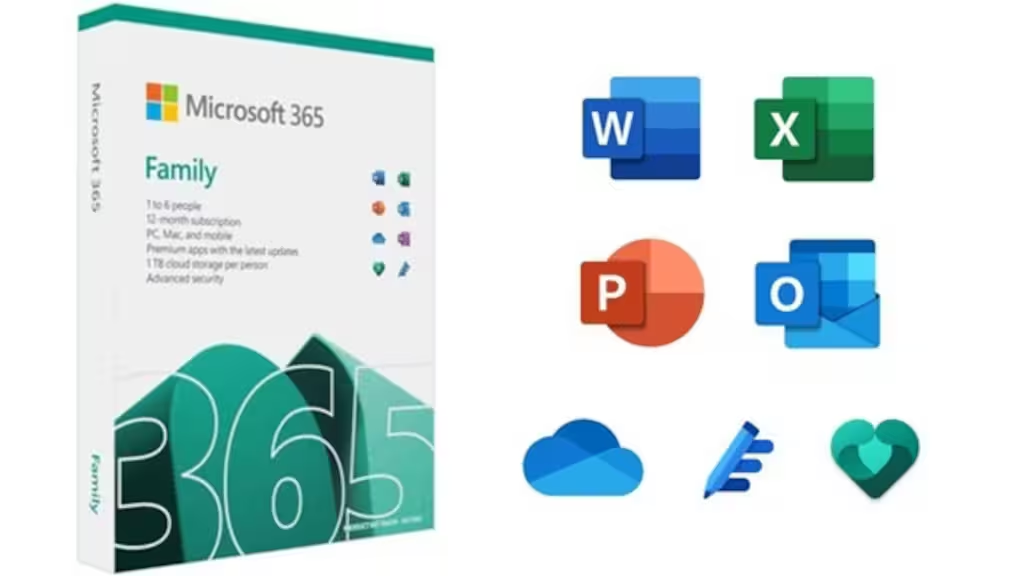



Enjoy a complete productivity solution with Microsoft Office 365 Family for PC, providing a 1-year subscription account for up to 6 devices. Get essential Office applications, cloud storage, security tools, creative features, and Microsoft Copilot for everyday work, study, communication, and personal projects.
Read moreLooking for similar items? There you go!







About this item
This item is a key. It comes with a code you redeem on the matching platform to unlock the content you bought.
- The code is delivered instantly after payment
- Region: GLOBAL — check it matches your account before buying
- Keep your code private until you redeem it
- Digital codes can't be refunded once revealed
Basic info
- Platform
- Microsoft Office
- Type
- Key
- Region
- GLOBAL
- Category
- Microsoft Office, Software Subscriptions
Description
Microsoft Office 365 Family (PC, 6 Devices, 1 Year Account)
About Microsoft Office 365 Family for Everyday Productivity
Microsoft Office 365 Family brings essential Microsoft productivity tools together in one subscription. Create professional documents, manage spreadsheets, prepare presentations, organize email, store files securely in the cloud, and work across compatible devices.
The subscription supports up to six people, with each person able to use Microsoft 365 applications on up to five devices simultaneously. Microsoft currently includes Word, Excel, PowerPoint, Outlook, OneNote, OneDrive storage, Defender security features, and additional creative and AI-powered tools with the Family plan.
Key Features
- Microsoft Office 365 Family subscription
- 1-year account
- Support for up to 6 people
- Compatible with Windows PCs and other supported devices
- Word, Excel, PowerPoint, Outlook, and OneNote
- Up to 6 TB of OneDrive cloud storage
- 1 TB of storage for each included person
- Microsoft Defender security features
- OneDrive ransomware protection
- Microsoft Designer for creative content
- Clipchamp premium video editing features
- Microsoft Copilot features for the subscription owner
- Use Microsoft 365 on up to 6 devices simultaneously per person
- Cloud-based file access and synchronization
Included Applications & Services
Microsoft Word
Create and edit documents, reports, letters, assignments, and professional content with powerful formatting and writing tools.
Microsoft Excel
Organize information, create spreadsheets, perform calculations, and analyze data using tables, formulas, and charts.
Microsoft PowerPoint
Build professional presentations for business meetings, education, projects, and personal use.
Microsoft Outlook
Manage email, calendars, contacts, and daily communication from one integrated application.
Microsoft OneNote
Keep notes, ideas, research, lists, and other information organized and accessible across supported devices.
OneDrive
Store documents, photos, and other files securely in the cloud. Microsoft 365 Family provides up to 6 TB total, with 1 TB allocated to each of up to six people.
Microsoft Defender
Access additional security features designed to help protect personal information and supported devices.
Microsoft Copilot
Use AI-powered assistance for supported productivity and creative tasks. Microsoft states that Copilot AI benefits on the Family plan are available to the subscription owner and are not shared with other members.
Microsoft Designer & Clipchamp
Create visual content with Microsoft Designer and edit videos using Clipchamp’s premium features included with the subscription.
Product Details
- Product: Microsoft Office 365 Family
- Platform: Microsoft
- Device Coverage: 6 Devices
- Duration: 1 Year
- Product Type: Microsoft Account
- Region: GLOBAL
- Subscription: Family
- Delivery: Digital account credentials
- Compatibility: Windows PC and supported devices
- Activation: Account login
How to Activate Microsoft Office 365 Family
- Complete your purchase.
- Receive the Microsoft account login details provided with the product.
- Sign in using the supplied account credentials.
- Open the Microsoft 365 account or Office dashboard.
- Download and install the available Microsoft 365 applications.
- Sign in with the supplied account when prompted.
- Complete the setup and start using the included Office applications.
Supported Devices
Microsoft 365 Family is designed to work across:
- Windows PCs
- Mac computers
- iPhone
- iPad
- Android phones
- Android tablets
Each person included in the Family subscription can use Microsoft 365 on up to 6 devices simultaneously.
Important Information
- This is a Microsoft account-based product, not a traditional product key.
- The supplied listing provides 6-device coverage for 1 year.
- The account can support up to six people under Microsoft’s Family plan.
- Each person receives their own OneDrive storage allocation when using the Family sharing features.
- Copilot AI benefits are currently limited to the subscription owner and cannot be shared with other members.
- Feature availability may vary according to device, operating system, language, and region.
Reviews
Check what our customers think of this title
Overall item rating
No reviews yet — be the first to review this item.
Rating
Review this item
Share your experience to help other customers choose.
Only logged in customers who have purchased this product may leave a review.
Why G2U?
Licences
- Microsoft Office Home & Business 2019 (MAC Key, Lifetime)
- Microsoft Office Home & Student 2019 (PC Key, Lifetime)
- Microsoft Office Home & Business 2019 (PC Key, Lifetime)
- Microsoft Office LTSC 2021 Standard (PC Key)
- Microsoft Office Home & Business 2016 (MAC Key)
- Office 2021 Professional Plus x4 Bundle (PC Key)
- Microsoft Visio 2024 - LTSC Professional (PC Key)
- Microsoft Office Professional 2016 (PC Key, Plus)